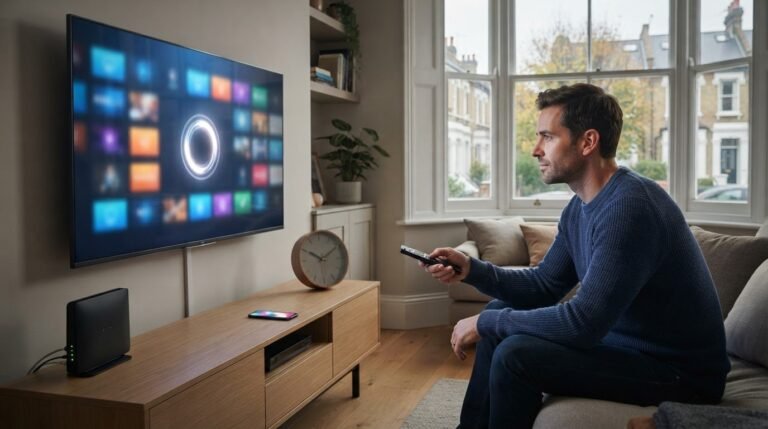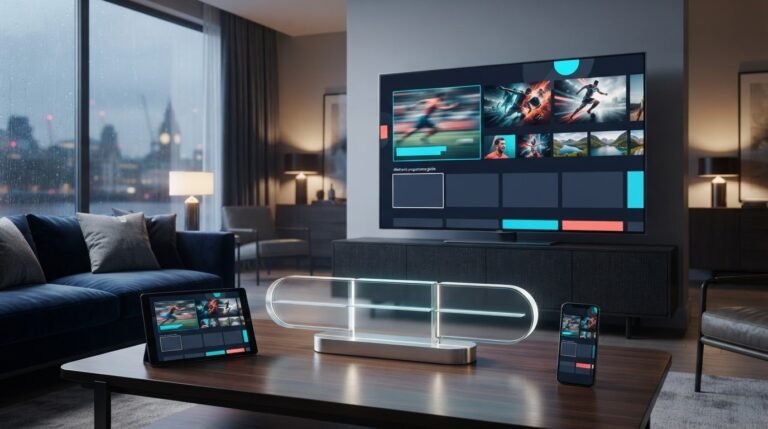
A long channel list doesn’t tell you whether IPTV will work well on your television, suit your viewing habits or play smoothly when you need it. An IPTV 24 hour trial gives you a chance to test the experience for yourself, rather than simply count channels.
Test the service on the device and internet connection you plan to use every day. Watch the channels and on-demand programmes you care about, then assess picture quality, channel-changing speed and the EPG guide. Try it at different times, too, so your decision reflects more than a quick first look.
This guide explains what to test during a free 24-hour trial and how to use your results to choose a subscription. You’ll assess device compatibility, playback, content and everyday usability, then match your needs to one, two or three device connections and a suitable plan duration.
Key Takeaways
- Use the IPTV 24 hour trial to assess the programmes you actually watch, rather than judging the service by catalogue size alone.
- Plan a focused viewing session and test during your usual watching hours for a more relevant picture of everyday performance.
- Rate content relevance, playback, navigation, EPG usefulness and device fit to make your decision easier to compare.
- Match one, two or three device connections to the screens that need access, then choose a subscription duration that suits your confidence.
- The free trial typically activates within 5-7 minutes, giving you time to test before deciding on a paid plan.
Why an IPTV 24 Hour Trial Is a Better Fit Test Than a Channel Count
A large catalogue can look impressive, but it won’t tell you whether the service suits your household. Your experience depends on what you want to watch, the device you use and the internet connection available at viewing time. An IPTV 24 hour trial gives you a short opportunity to assess those factors before choosing a subscription.
An IPTV service delivers television and on-demand programmes over an internet connection. A 24-hour trial is a temporary access period for testing that service before subscribing. Use it as a practical fit test, not as proof that every programme will work under every condition.
TiviMate Pro Net lists access to 19,500+ live channels and 80,000+ movies and series. Those totals describe catalogue size, not how much of it will matter to you. If you mainly watch live sport and a few favourite series, test those categories instead of spending the trial browsing channel names.
What a 24-hour IPTV trial can help you evaluate
Focus on the types of viewing that shape your decision. Live TV, sports, international channels, movies and series are distinct needs. A broad catalogue is useful only if the content you want is easy to find and watch on your intended device.
- Live TV: Try channels you’d normally put on during a typical viewing session.
- Sports: Test a relevant live event or sports channel if that’s a priority for you.
- International channels: Look for the languages or regions you regularly follow.
- Movies and series: Search for a title or genre you’d genuinely choose at home.
Note what you found and how easy it was to access. Specific observations make the trial more useful than a quick tour of headline figures, because they show how well the service matches your viewing priorities.
What a one-day test cannot prove
A 24-hour window shows what happened during the times, on the device and over the connection you tested. It can’t represent every day, programme or network condition. If playback is smooth in one session, treat that as an observation, not a promise of uninterrupted viewing in future.
A brief pause or slow channel change may also reflect the connection or conditions at that moment. Note when the issue occurs and whether it affects content you care about. Then weigh the full experience, including content fit, usability and playback on your usual setup. One good session doesn’t prove everything, and one problem doesn’t tell the whole story.
How to Test an IPTV 24 Hour Trial in One Useful Viewing Session
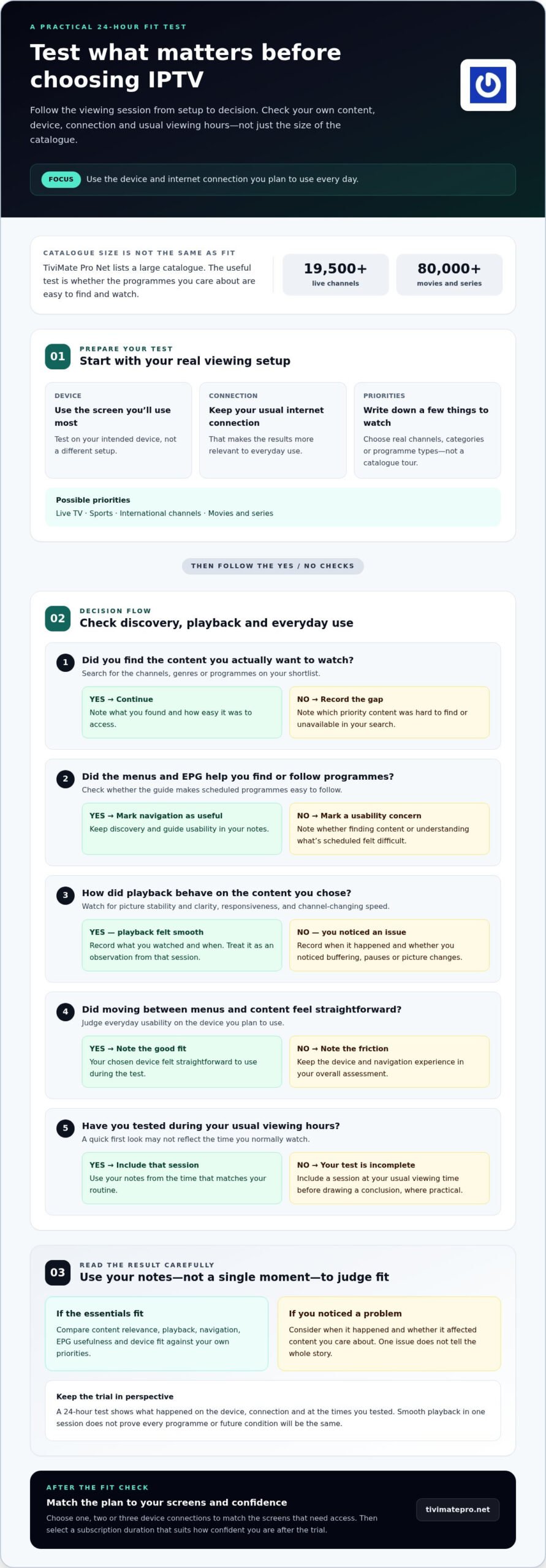
A useful IPTV 24 hour trial needs a plan, not a rushed tour of every menu. Set up the device and connection you expect to use, check the content that matters, then assess playback and navigation separately. Include a session during your usual viewing hours, since a quick test just after activation won’t show how the service feels at your normal time.
Prepare your device and viewing priorities
Choose the screen you’ll use most often and connect it to your usual internet connection. Write down a few priorities, such as a live channel, a sports category, an international channel or an on-demand genre. This shortlist keeps the test focused and helps you separate content discovery from playback quality.
- Set up your usual viewing arrangement. Use the intended device, screen and home connection, rather than a different setup that could give you a less relevant impression.
- List the content to find. Pick a few specific channels, categories or programme types you’d genuinely watch. Avoid spending the whole trial browsing the catalogue.
- Check discovery first. Search for your chosen content and note whether the menus and EPG guide help you find a programme or see what’s scheduled.
- Test playback next. Open the content you found and focus on picture stability, clarity and responsiveness while watching. Keep these notes separate from your comments on search and navigation.
Use the trial time to test real viewing
Spread checks across the trial window where practical. Try live content at a time you’d normally watch, then explore on-demand options at another point. This gives each test a clear purpose and prevents a catalogue search from standing in for a playback test. If you usually watch in the evening, include an evening session rather than relying only on the first moments after activation.
- For discovery: Record whether you found priority channels and on-demand categories, and whether the EPG made scheduled programmes easy to follow.
- For playback: Note what you watched, when you watched it and what you observed. Describe any buffering, pauses or changes in picture quality without assuming they’ll always happen or never happen.
- For everyday use: Record whether moving between menus and content felt straightforward on your chosen device.
Make brief notes as you go. “Found the channel quickly” and “picture paused during the evening session” are more useful than a general impression at the end. Compare your observations with what you need, then decide whether the service fits your viewing routine.
Put this test plan into practice when you start your free 24-hour IPTV trial.
How to Judge IPTV Trial Results: Playback, Content, and Everyday Usability
A simple scorecard turns trial impressions into a decision you can explain. Rate each area against your own priorities, not against a general idea of what a service should do. The IPTV 24 hour trial gives you a sample of the experience on your setup. Your notes should describe what you observed, not predict what will happen every time you watch.
Check the content and TV guide you will actually use
Compare a few live channels and on-demand categories with your shortlist. Note whether you found relevant content and whether the EPG helped you discover programmes or check schedules. Treat catalogue totals as a measure of scale, not evidence that every preferred title is available. Record specific results, such as “found the channel easily” or “couldn’t locate the category”.
| Test | Personal result | Importance |
|---|---|---|
| Content relevance | Did you find the live channels and on-demand categories you wanted? | High if specific programmes, sports or genres are essential to your viewing. |
| Playback experience | How did the picture and playback behave during the content you tested? | High if steady viewing matters more than having a very large catalogue. |
| Navigation | Could you move between live TV, sports, movies and series without hassle? | Consider how often you switch between types of content. |
| EPG usefulness | Did the guide make programme discovery and schedule checking straightforward? | More important if you use schedules to decide what to watch. |
| Device fit | Was the service comfortable to use on your intended screen? | Prioritise this if that device will be your main way to watch. |
Assess playback and navigation on your setup
Judge playback during the content and viewing conditions you actually tested. Note what happened and when, rather than treating one session as proof of future performance. Also check how naturally you can move between live TV, sports and on-demand programmes. TiviMate Pro Net lists 4K streaming as a feature, but viewing in 4K depends on compatible content and a compatible setup.
Mark each scorecard result as a good fit, a concern or not tested. Give more weight to areas that affect your regular viewing. A navigation issue may matter little if you rarely browse, while difficulty finding a priority channel could be decisive. If a result is unclear, keep it uncertain rather than turning it into a firm conclusion.
The best trial result is the one that matches your viewing priorities, not the one with the biggest headline numbers. Base your decision on what you watched, how it worked on your device and which features you’ll use. Your notes are observations from a limited test, not guarantees of performance in every future session.
Choose an IPTV Subscription After the Trial: Devices, Duration, and Viewing Habits
Use what you learned during the trial to make two separate decisions: how many device connections your household needs and how long you’re comfortable subscribing for. The number of screens you own doesn’t automatically equal the number of connections you need. Focus on who will watch, which screens they’ll use and whether access is needed at the same time.
Match device connections to your household
Think about actual routines, not just the devices in your home. If you mainly watch on one television, a single-device plan may fit. If another person uses a different screen, consider whether their viewing overlaps with yours. TiviMate Pro Net offers plans for one, two or three device connections, so you can match the option to the access your household expects to use.
- One connection: Consider this if one screen is your usual viewing point and others don’t need separate access.
- Two connections: Consider whether two people or screens need access, especially if viewing times may overlap.
- Three connections: Assess whether three screens need access as part of your household’s regular routine.
Count the connections your viewing pattern calls for, not every device you own. A phone, tablet and television might all be in the home, but that alone doesn’t establish how many connections you need. For more detail on a single-screen choice, see the IPTV 1 device plan guide.
Choose a subscription duration that fits your confidence
Duration is a separate choice from device count. If the trial left important questions unanswered, don’t treat a longer commitment as automatically better value. Base your decision on how well the service matched your priorities and how regularly you expect to use it. A shorter period can suit a more cautious decision; a longer one may suit someone confident in their tested setup and routine.
Review your notes before choosing. Did you find the content you wanted? Did navigation suit your habits? Did the service work as expected on the screen you plan to use? If your answers are mixed, take that uncertainty seriously. If the result was a clear fit, compare the available durations with how settled your viewing needs are.
TiviMate Pro Net offers multiple subscription durations, including 2 Years Premium and 5 Years Premium. These are different planning commitments, not a universal recommendation. Choose after weighing your trial observations and expected use. If you’re considering a shorter commitment, the IPTV 3 month plan guide explains factors to consider without assuming one duration suits everyone.
The IPTV 24 hour trial can help you judge the viewing experience, while your household’s connection needs and confidence should guide your plan choice. Select one, two or three device connections based on expected access, then choose a duration that fits your level of certainty. Choose your IPTV subscription plan when you’re ready to move from testing to a plan.
Start Your Free IPTV 24 Hour Trial and Make a Clear Next-Step Decision
A trial is most useful when it leads to a clear choice. Review what you watched, how it worked on your setup and whether it suited your household’s needs. TiviMate Pro Net offers a free 24-hour trial, with typical activation in 5-7 minutes. Use the time to assess the viewing experience, then decide whether a subscription fits.
Turn your trial notes into a simple decision
Check your notes against the priorities you set. Did you find the live channels or on-demand categories you wanted? Did the service suit your device? Were playback and navigation satisfactory during your test? Keep your conclusions tied to those observations. A short trial can inform your decision, but it can’t guarantee how every future viewing session will perform.
- Review content: Check whether the programmes and categories you care about were relevant and accessible.
- Review device fit: Decide whether using the service on your intended screen felt practical.
- Review playback and navigation: Consider what you observed while watching and moving between content.
- Choose your next step: Proceed only if the experience you tested aligns with your household’s needs.
If a priority remains untested or your results feel uncertain, include that in your decision rather than filling the gap with assumptions. A good fit means the service met your own criteria in the setup you tried. It doesn’t mean every channel or viewing condition has been proven.
Move from trial to the right plan
Once you’re satisfied with your observations, match the subscription to how your household watches. TiviMate Pro Net offers plans with one, two or three device connections and different durations. Think about who needs access and which screens they use, then weigh the duration against how confident you feel after the trial.
The service includes:
- Live TV and live sports
- International TV
- Movies and series
- An EPG guide
- 4K streaming
Use those features as a starting point, not a substitute for your own results. Your notes can help distinguish the options that suit your viewing habits from those that don’t. Catalogue totals alone won’t tell you which device connection or subscription duration is right for your routine.
When you’re ready to test the service against your own priorities, start your free IPTV 24-hour trial.
Make Your Next Viewing Choice With Confidence
Let your decision reflect the way you actually watch, not the way you imagine you might watch. Use your trial notes to identify what matters most in your household, then choose a plan that supports those needs. If your viewing routine changes, reassess what device access and subscription duration make sense.
The IPTV 24 hour trial is most useful when it helps you make a considered choice, including deciding that an option isn’t the right fit. Don’t let a large catalogue or a single standout feature make the decision for you. Focus on what worked for your priorities and what you’ll use regularly.
Ready to test the service against your own viewing habits? Start your free 24-hour IPTV trial and choose a subscription based on what you learn.
Frequently Asked Questions
Is an IPTV 24 hour trial long enough to decide?
It can be long enough to make an informed initial choice, but not to assess every possible viewing situation. Before the IPTV 24 hour trial begins, choose a few programmes or channels and decide what a good result means to you. For example, note whether a live channel loads and whether its picture remains suitable during your viewing session. Use your observations as evidence, not as a guarantee about every future programme or connection condition.
Can I test an IPTV trial on the device I plan to use?
Yes. Use your intended device if it’s compatible with the service. Testing on your usual screen gives you a more relevant sense of how menus, text and playback feel in your setup. An IPTV subscription and an IPTV player app are separate: the subscription provides the service, while a compatible player app is used to view it. The subscription is not an IPTV player app or viewing equipment.
What should I test first during a free IPTV trial?
Begin with the content you’d be disappointed to miss. Try a priority live channel or sports category, then look for a movie or series that matches your usual viewing. Check whether the EPG helps you understand what’s scheduled, and note how easy it was to find your chosen content. A simple rating, such as easy, acceptable or difficult, can make your notes clearer when you review them later.
Does an IPTV 24-hour trial guarantee the same experience every day?
No. A trial shows what happened during the specific sessions you tested, not what every future viewing session will be like. Content, viewing time, device and internet conditions may differ. For a useful record, note when you watched and what you experienced instead of writing a broad conclusion such as “always smooth”. Treat a good or poor result as information about that test, not a promise of identical performance later.
What happens after a 24-hour IPTV trial ends?
The trial is a temporary opportunity to assess the service before deciding whether to choose a paid subscription. If you want to continue, compare the available plan options with your device needs and expected viewing. Review the plan details when making your subscription choice, and proceed only if they suit you.
How do I choose between one, two, or three IPTV device connections?
Choose based on expected access, not the total number of screens in your home. Think about who will watch and whether they’ll use separate devices at overlapping times. For example, if one person watches on the main television and another regularly watches elsewhere at the same time, a single connection may not match that pattern. Compare your household’s routine with the one-, two- and three-device options, then select the closest fit.