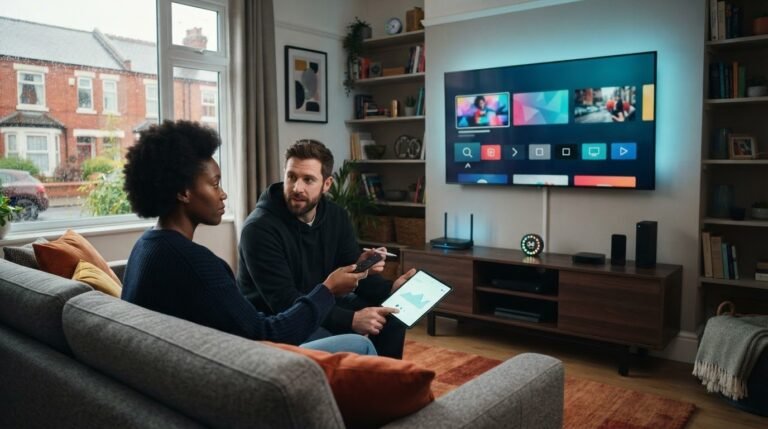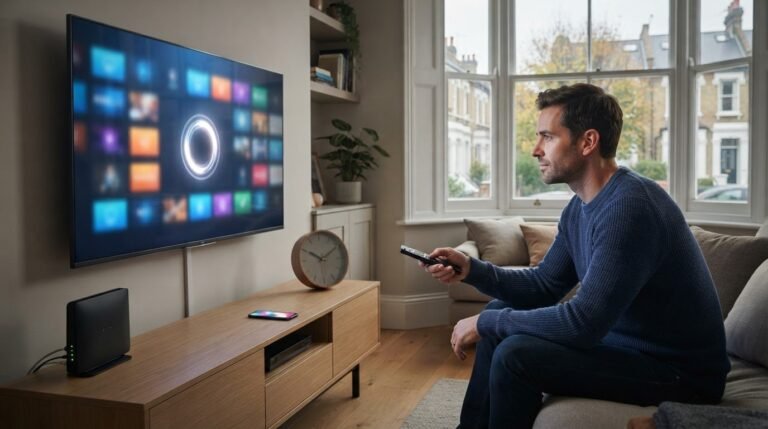
The right plan depends less on how many devices you own than on how many screens you use at once. An IPTV 1 device plan is designed for a single-screen setup, but owning one device and streaming on one screen at a time are different things. Understanding that distinction can help you choose a plan that fits your viewing routine.
Before subscribing, consider the screen and player you plan to use, how many streams you need at the same time, and how long you want the subscription to last. TiviMate Pro Net’s service includes live TV, sports, movies and series, international television, an EPG and 4K streaming. Its free 24-hour trial gives you a chance to experience the service before choosing a paid subscription period.
This guide explains what a one-device plan means in everyday use, who it suits, and what to consider when comparing connection limits, compatibility and subscription periods. Use your usual viewing habits to decide whether one active connection is enough, rather than paying for connections you don’t expect to use.
Key Takeaways
- Choose an IPTV 1 device plan by counting the screens used at the same time, not the number of devices in your home.
- Distinguish the IPTV subscription, which provides service access, from the player app used to watch it.
- Compare the 3-, 6- and 12-month options by how long you want to commit, rather than assuming a longer term means a specific saving.
- Use the free 24-hour trial to experience the service before selecting a paid subscription period.
- Identify your viewing screen and check player support before following the service setup instructions.
What an IPTV 1 Device Plan Includes
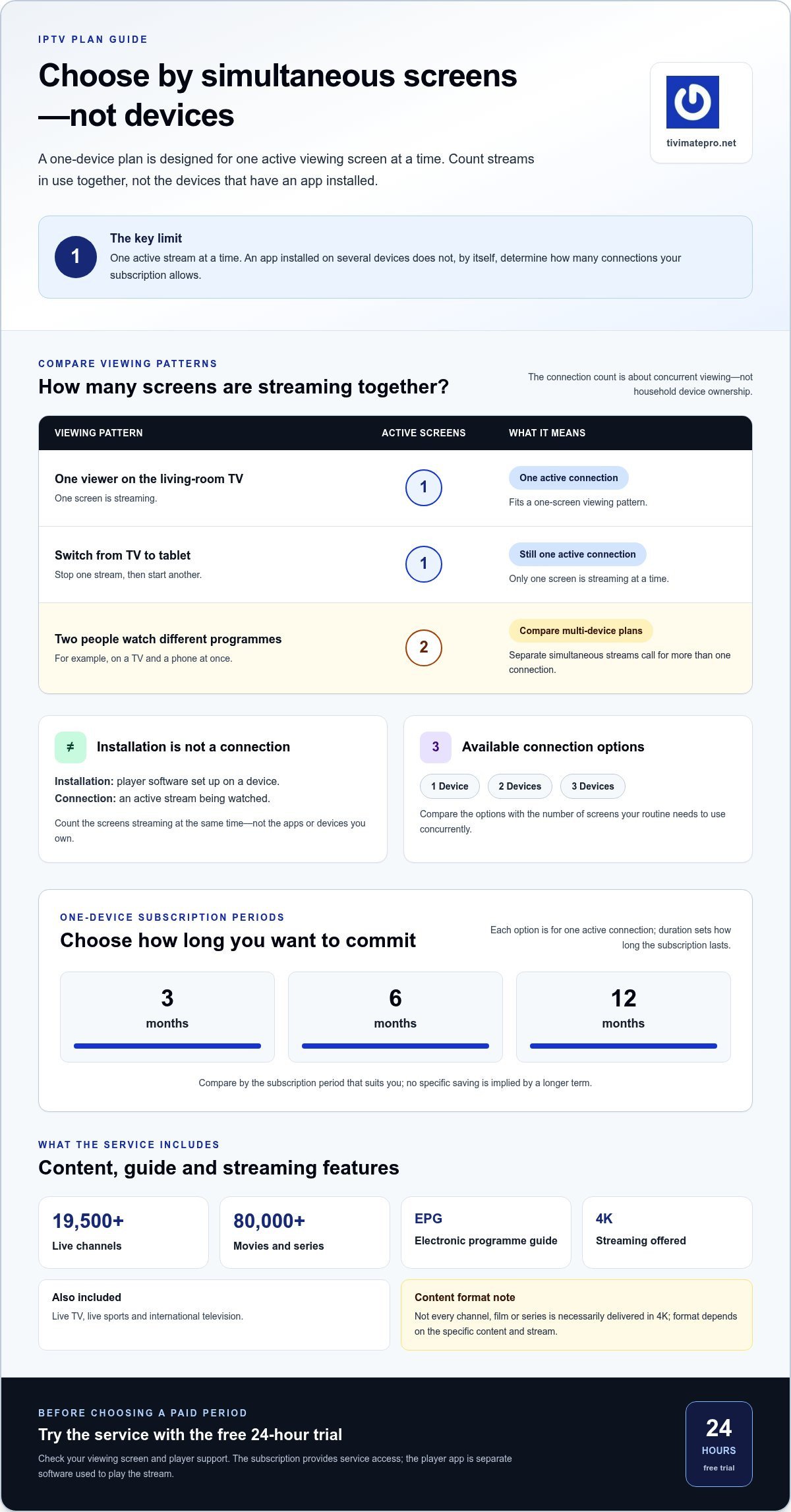
An IPTV 1 device plan is for viewing on one connection at a time. Its practical limit is simultaneous use: one active viewing screen can stream the service at a time. That makes it a straightforward option for a solo viewer or a household that usually watches together on one screen.
A one-device IPTV connection means one screen can stream the service at a time. Keep that definition in mind when comparing plans, and distinguish the subscription from the software used to watch it.
An IPTV subscription provides access to a service and its content. A player app is separate software that plays the service’s stream. TiviMate Pro Net sells IPTV subscriptions, not player apps or viewing devices. Installing an app on a device doesn’t, by itself, tell you how many active connections a subscription allows. For a one-device plan, focus on the number of screens streaming at the same time.
What does one device mean for IPTV viewing?
Think about what is happening at the same time, not just how many screens or apps you own. If you watch on the living-room television, stop that stream, and then start another on a tablet, you’re using one screen at a time. If two people watch different programmes on a television and a phone simultaneously, that’s two active viewing screens. The connection limit concerns concurrent viewing, not simply the number of devices with an app installed.
This distinction helps avoid a common mix-up: an installation is the player software set up on a device, while a connection is an active stream. Counting installations alone doesn’t tell you how the viewing limit applies. Match the plan to your routine, especially if people in your household often watch separately.
What content comes with the subscription?
The TiviMate Pro Net service includes live TV, live sports, movies and series, and international television. It also includes an electronic programme guide (EPG), which helps you browse programme listings and see what’s on. The service lists 19,500+ live channels and 80,000+ movies and series.
These figures describe the stated catalogue size. They don’t mean that every title will appear on every stream or be available at all times. The service offers 4K streaming, but not every channel, film or series is necessarily delivered in 4K. The format depends on the specific content and stream.
The plan sets the connection level, while the subscription provides access to the service’s content and features. The player app is a separate part of the setup. Keeping those roles clear makes it easier to compare one-device options and decide whether one active screen fits your needs.
How to Decide Whether One IPTV Connection Is Enough
Start with when people in your home want to watch, not how many screens they own. A television in the lounge and a phone in a drawer don’t automatically mean you need two connections. The deciding factor is whether viewers want to stream on separate screens at the same time.
Rule of thumb: count the screens streaming simultaneously, not the devices with an app installed. If you use one screen at a time, a one-connection plan fits that pattern. If two separate screens stream together, compare plans with more connections.
To make a quick decision, think through an ordinary evening:
- One viewer watches on the television while everyone else is doing something else: one active screen.
- A viewer switches from the television to a tablet instead of watching on both: still one screen at a time.
- Two people watch different programmes in separate rooms at the same time: two active screens.
This is a practical way to assess your needs, not a claim about how many devices can have an app installed. IPTV technology has technical standards, but those aren’t the same as a subscription’s connection allowance. The International Telecommunication Union’s IPTV Standards and Technology material provides background on the technology. To choose a plan, focus on how many streams you need to use concurrently.
When does a one-device plan fit best?
A solo viewer who watches on one screen at a time is a natural fit. So is a household that usually watches together on one television, even if its members own phones, tablets or other screens. The number of people at home matters less than whether their viewing overlaps. If you’re new to the service, use the free 24-hour trial to experience it before choosing a paid subscription period.
When should viewers compare multi-device plans?
Compare multi-device options if separate viewers regularly want different streams in different rooms at the same time. TiviMate Pro Net offers 2 Devices and 3 Devices IPTV Plans alongside its 1 Device option. Choose based on the number of simultaneous screens your routine calls for, not the total devices in your household. There’s no need to pay for extra connections if one-screen viewing meets your needs.
Consider your busiest typical viewing period, rather than an unusual occasion. If most evenings involve one shared screen, a single connection may be a sensible fit. If separate streams are a regular requirement, compare the available connection options with that pattern. An IPTV 1 device plan suits a one-screen setup, and the free trial lets you experience the service before choosing a paid period.
Compare One-Device IPTV Plans by Duration and Viewing Needs
Once you’ve decided that one active connection is enough, choose a subscription period that fits how familiar you are with the service and how long you want to commit. TiviMate Pro Net offers one-device options for 3, 6 and 12 months. The connection count is for one-screen viewing; the duration determines how long the subscription lasts.
| Duration | Commitment | Likely fit |
|---|---|---|
| 3 months | Shorter period | Viewers who prefer a shorter initial commitment |
| 6 months | Middle-length period | Viewers looking for an option between short and long |
| 12 months | Longer period | Viewers already comfortable with their choice |
Which subscription duration suits your plans?
A 3-month IPTV plan keeps the initial commitment shorter, which may suit someone still getting used to the service. Six months is a middle-duration choice if you want a longer period without selecting the longest option. Twelve months is a longer commitment for viewers who already know that the service and one-screen setup suit their routine. These are differences in duration, not claims about discounts or savings.
What should you compare beyond duration?
First, make sure the plan’s connection count matches the number of screens you expect to stream on at once. Then consider whether the service categories and features match your interests. Live TV, sports, movies and series, international television, and the EPG are included. The service offers 4K streaming, but not every programme or channel is necessarily available in that format.
TiviMate Pro Net uses a one-time payment model. Before purchasing, review the amount displayed for the selected subscription and make sure it matches the duration and one-device option you intend to choose. Don’t infer a renewal schedule, cancellation policy or discount from the subscription period alone. Base your decision on the terms shown for your selection.
A simple comparison can keep the choice practical:
- Choose 3 months if you want a shorter initial period.
- Choose 6 months if a middle-length commitment fits your plans.
- Choose 12 months if you’re already confident about the service and viewing setup.
The free 24-hour trial lets you experience the service before choosing a paid period. If you’re still weighing up an IPTV 1 device plan, use the trial to explore the content and features, then select a duration that feels appropriate. Multi-device plans are a separate option for viewers who need more than one active screen. Owning several devices alone doesn’t mean you need them.
Check Compatibility and Use the 24-Hour IPTV Trial
Before choosing an IPTV 1 device plan, make sure the screen and player you intend to use work with your setup. Follow these steps in order: identify your viewing device, check the player’s requirements, then follow the service setup instructions. This separates device and app compatibility from the subscription, which provides access to the service.
- Identify the screen. Note the device you expect to watch on, such as your television, phone, tablet or computer. Focus on the screen you plan to stream on instead of assuming another device will work the same way.
- Check player support. Identify the IPTV player app you intend to use and consult its compatibility information for device-specific requirements. TiviMate Pro Net sells the IPTV subscription, not a player app or viewing device.
- Review the service setup instructions. Once you know your screen and player, follow the instructions for setting up service access. Keep the player’s requirements separate from the subscription details.
How to check your screen and player setup
Write down both the device and the player you plan to use. Review the player’s compatibility details for that specific device before choosing a subscription. Don’t rely on a general claim about device flexibility to decide whether your exact setup is suitable. Then use the service setup instructions to understand how subscription access is configured. This sequence helps you identify which part of the setup needs attention.
What to learn from the free trial
TiviMate Pro Net offers a free 24-hour trial. Use it to experience the service in the viewing setup you intend to keep. Browse the categories that matter to you, such as live TV, sports, movies and series, and international television. Try the EPG to see how you’ll browse programmes and listings.
Pay attention to how the service fits your routine. Can you use it on your chosen screen and follow the setup instructions? Does one-screen viewing suit your typical viewing habits? Answering these questions can help you choose between the available subscription periods. The trial lets you experience the service, but it doesn’t establish refund terms or other conditions.
Keep the trial focused on how you plan to watch. If you expect to use one screen at a time, try that arrangement instead of switching between several devices and assuming the results will be identical. Once you’ve explored the service, you can make a more informed choice about the subscription period that suits you.
Try the free 24-hour IPTV trial to experience the service before choosing a paid subscription period.
Choose Your TiviMate Pro Net IPTV 1 Device Plan
A one-device plan is a straightforward choice if your usual setup uses one active viewing screen at a time. Before selecting, match the connection option to your viewing routine, choose a subscription period that suits your plans, and review the displayed plan details and payment amount. These checks help you choose a duration and connection level that fit.
A quick checklist before choosing
- Confirm your viewing pattern. One simultaneous screen suits a solo viewer or a household that watches together on one screen. If separate screens regularly stream at the same time, consider whether another connection option better fits.
- Choose a period. TiviMate Pro Net offers 3-, 6- and 12-month subscription periods. Choose the shorter period for a shorter initial commitment, the middle period if that fits better, or the longer period if you’re already comfortable with your choice.
- Review the selection. Check that the displayed plan is for one device and the duration you intended. Review the amount shown before purchase. Payment is made once, but don’t assume renewal or cancellation terms beyond what’s displayed.
What happens after you choose?
Follow the supplied subscription instructions to complete setup. Typical IPTV activation time is within 5-7 minutes, but this is an expected timeframe, not a guarantee. Keep the service instructions handy and follow them for your selected subscription. The subscription provides service access; the IPTV player app and viewing device are separate parts of your setup.
If you’d like to experience the service before choosing a paid period, TiviMate Pro Net offers a free 24-hour trial. Use it to explore the service in your intended viewing setup and decide whether one-screen access suits your needs. You can then choose a subscription period with a clearer idea of how the service fits your routine.
With your connection needs, device setup and preferred duration in mind, you can make an informed choice. If one screen at a time matches your routine, Choose an IPTV 1 Device Plan and review the displayed plan details before completing your selection.
Make Your Next Viewing Choice with Confidence
Let your everyday viewing routine guide your decision. Picture a typical week rather than an occasional night when everyone wants to watch something different. That gives you a more useful basis for selecting a plan than simply counting the screens in your home.
An IPTV 1 device plan fits if you expect to use one active screen at a time. If your needs change, reassess based on how you actually use the service. There’s no need to pay for extra connection capacity unless separate, simultaneous viewing is part of your routine.
Once you’re comfortable with the setup and plan details, take the next step. Choose your IPTV 1 Device Plan and select the option that fits your viewing needs.
Frequently Asked Questions
Does IPTV use internet data while streaming?
Yes, IPTV streaming uses internet data because programmes are delivered over an internet connection. The amount used can vary with stream quality, viewing time and the content being watched, so there isn’t one fixed figure for every session. If your broadband or mobile plan has a data allowance, keep an eye on usage, particularly during long viewing sessions or when streaming over mobile data.
Can I use an IPTV subscription while travelling?
That depends on the subscription’s terms, the internet connection available where you’re travelling, and whether your screen and player work there. Before you go, review the service terms and make sure your intended setup can connect to the internet. For example, a hotel television may not offer the same player options as your own device. Don’t assume access in another location or country without checking the applicable terms.
How much does an IPTV 1 device plan cost?
The cost of an IPTV 1 device plan depends on the selected subscription period and the price displayed for that plan. TiviMate Pro Net takes a one-time payment, and its subscription periods include 3, 6 and 12 months. Check the amount shown for the one-device option you want before purchasing, as the subscription period affects the fee. Review the current listing for the price.
Is 4K streaming available on every IPTV channel?
No, an offer of 4K streaming doesn’t mean every channel or programme is available in 4K. The format depends on the individual stream, and some content may be provided at a different resolution. Your screen also needs to support 4K to display content in that format. If picture resolution matters to you, look at the format available for specific content instead of assuming the entire service uses 4K.
What does EPG mean in IPTV?
EPG means electronic programme guide. It’s an on-screen guide that presents programme listings, helping viewers browse schedules and see what’s available to watch. For example, you can use a guide to check what’s showing now or find a programme in the listings. The amount of schedule information can vary by channel and service, so an EPG is a browsing aid, not a guarantee that every listing has the same level of detail.
Do I need a separate IPTV player app?
Usually, you need compatible player software to watch an IPTV service on your chosen screen. The player app and the subscription do different jobs: the app plays streams, while the subscription provides access to a service. TiviMate Pro Net sells subscriptions, not player apps or devices. Check the player’s requirements for your screen, then follow the service setup instructions.
Is IPTV legal in the UK?
IPTV technology is a way of delivering television over internet connections. The key issue is whether the service has the necessary rights to distribute the programmes and channels it offers. A subscription or a working stream alone doesn’t establish that content is authorised. In the UK, avoid accessing content where the service lacks permission to provide it. If you’re uncertain about a service’s rights, seek reliable UK legal guidance.